Semrush is undoubtedly the world’s most popular SEO and marketing tool, covering data from 190 countries globally, and yes, it offers a free trial in 2026. You get 7 days of full access to paid plans, including the new Semrush One plan that combines the classic SEO tools with the AI Visibility Toolkit.
28 million people have used it to date, and millions actively use it daily to keep up with the rapidly changing marketing sector, especially the S.E.M. side of things! Infact, Semrush is one of the most used tools at Resourcera too; that’s the reason we are recommending it.
Semrush One Starter plan - 14 day free trial!
Try Semrush One Starter free for 14 days. Unified SEO + AI tracking, no risk.
Start Semrush One Trial Now! →
Claim Semrush Pro Trial!
Get 14 days of free Pro access. Perfect for creators (5 projects, 500 keywords).
Start Pro Trial Now! →
Claim Semrush Guru Trial!
Get 14 days of free Guru access. Includes content suite and historical data.
Start Guru Trial Now! →Along with the free trial claiming guide, we discuss which plan to pick, how the pricing works once the trial ends, how to cancel it, and a day-by-day plan so your 7 days are useful. Let’s get to it, shall we?
Affiliate disclosure: This post contains affiliate links. If you sign up through them, we may earn a commission at no extra cost to you.
Which Semrush plans include a free trial?
Semrush offers two plan families, here is the breakdown of that:
1. Semrush One (SEO + AI visibility): This is the new addition in Semrush’s. It bundles the classic SEO toolkit with the AI Visibility Toolkit, which tracks how your brand shows up in ChatGPT, Perplexity, Gemini, Google AI Overviews, and Google AI Mode. Two tiers offer the free trial:
- Semrush One Starter: 5 websites, 500 tracked keywords, 50 AI prompts tracked
- Semrush One Pro+: 15 websites, 1,500 tracked keywords, 100 AI prompts, historical data
2. Semrush SEO Classic (SEO only). The traditional version long-time users know. Two tiers offer the free trial:
- Pro: 5 projects, 500 tracked keywords, the core SEO toolset
- Guru: 15 projects, 1,500 tracked keywords, historical data, full content marketing toolkit
The top tiers of both families (One Advanced and Classic Business) do not come with a trial.
Which one should you try? If you only care about ranking on Google, Classic Pro or Guru is fine. But for most people in 2026, Semrush One is the smarter trial. Search no longer happens only on Google, and One is the only option that shows you both sides. It also costs the same $0 for 7 days either way, so you might as well test the bigger picture.
Why Semrush is worth trialing in the age of AI search
The reason to test Semrush in 2026 is its size of keyword database of 28+ billion keywords, 43 trillion indexed backlinks, 142 geographic databases, and features that let you do GEO, AEO and you name it.
To vouch for this, more than 117,000 people have tested the product and are active paying customers of Semrush.
People now find information online through search engines and artificial intelligence chatbots. Google, which controls around 90% of the search engine market share across the globe, alone processes 5 trillion searches every year. 2.5 billion people ask questions to ChatGPT daily; other chatbots like Perplexity and Gemini cater to millions of other questions daily. If you only measure search engine rankings, you are watching half the game.
Semrush is one of the few platforms that measures both halves in one place. So during your trial, you can do the following things:
- See your AI Visibility Score: Type in your domain and get a single benchmark for how frequently your brand appears in AI-generated answers, broken down by platform (ChatGPT, Perplexity, Gemini, Google’s AI Overviews).
- Find the exact prompts that cite you: Pay attention to the words here, prompts, not keywords. The actual questions people ask AI tools where your pages get referenced, including by country. Very few tools are capable of doing this. Tell us in the comment section if you know of any tool that does this.
- Run keyword research for AI, not just Google: The AI prompt research tool shows what people ask AI assistants in your niche, with topic difficulty and intent, so that you can curate content for both intents.
- Track brand sentiment in AI answers: You can see whether AI platforms describe your brand positively or negatively compared to competitors, and get AI-generated recommendations to fix the gaps.
- Use Copilot as an SEO assistant: Semrush’s Copilot reads your project data, flags dropping rankings, and points you to the next fix, right from the dashboard.
- Speed up content with ContentShake AI: Idea to SEO-ready draft to optimization in one workflow, with a WordPress integration. We strongly recommend proofreading every line generated using AI, as they tend to make mistakes. Please read Google’s guidelines for AI-generated content.
Along with these, we also have the classic Keyword Magic Tool, Site Audit, Position Tracking, and Backlink Analytics, the good old SEO toolkit! The point is that a 7-day trial in 2026 lets you evaluate a genuinely different product than the Semrush of two years ago.
Resourcera’s quick note: Adobe completed its acquisition of Semrush on April 28, 2026. Semrush has confirmed there are no immediate changes to product access, features, pricing, billing, or the free trial process. Everything in this guide works the same as before the acquisition.
Step-by-Step Guide to Start Your Semrush Free Trial
Step 1: Open the free trial page by clicking here and sign up with your email and a password, then confirm the verification code sent to your inbox.
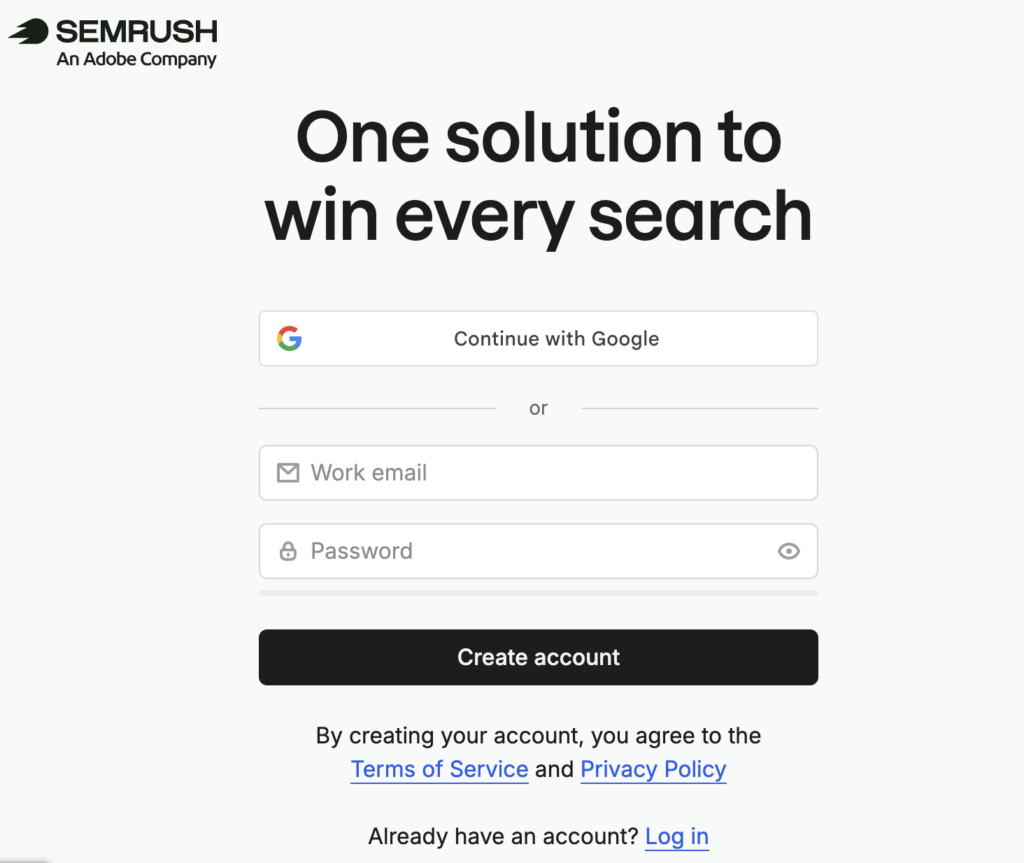
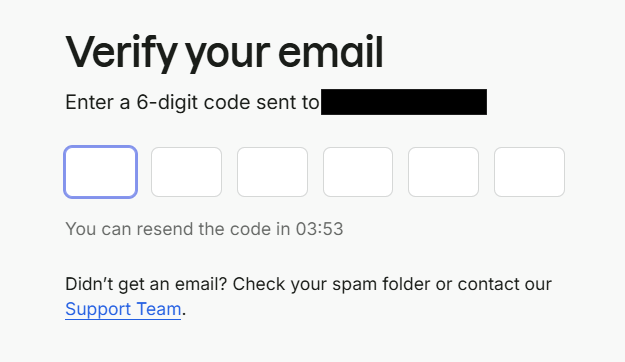
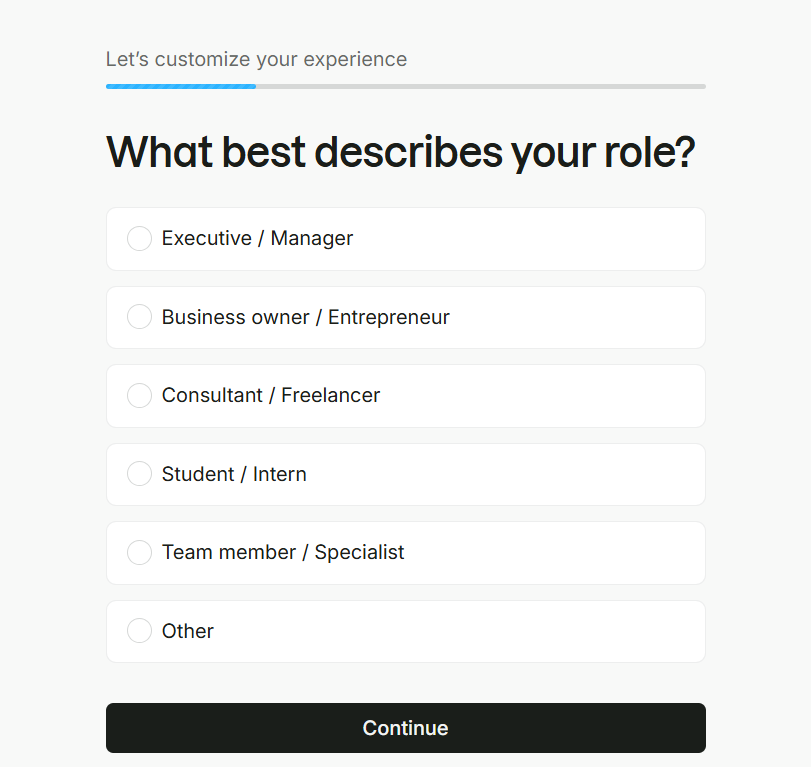
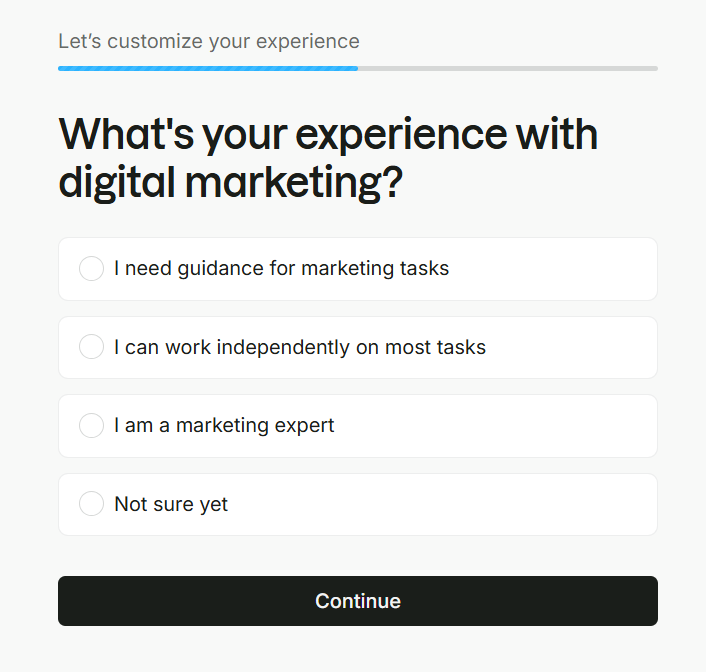
Step 2: Semrush asks why you are signing up, your experience level, and your team size. This just personalizes the dashboard. Select the relevant options and move ahead.
Step 3: Select the plan you want to trial, tick the box, and click to get the free trial. You will be asked for a credit card. You are not charged right away; the details are just verified to auto-debit the selected plan’s cost when the free trial ends. The checkout screen shows you the exact date when the first charge will happen.
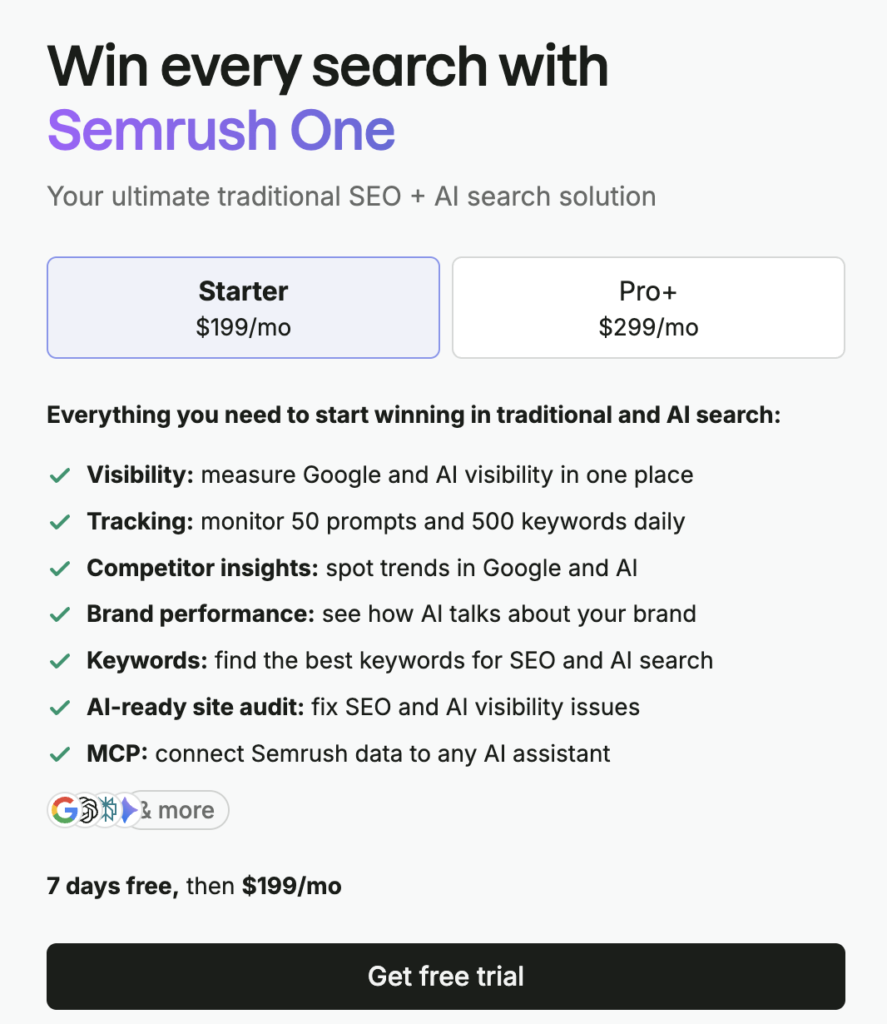
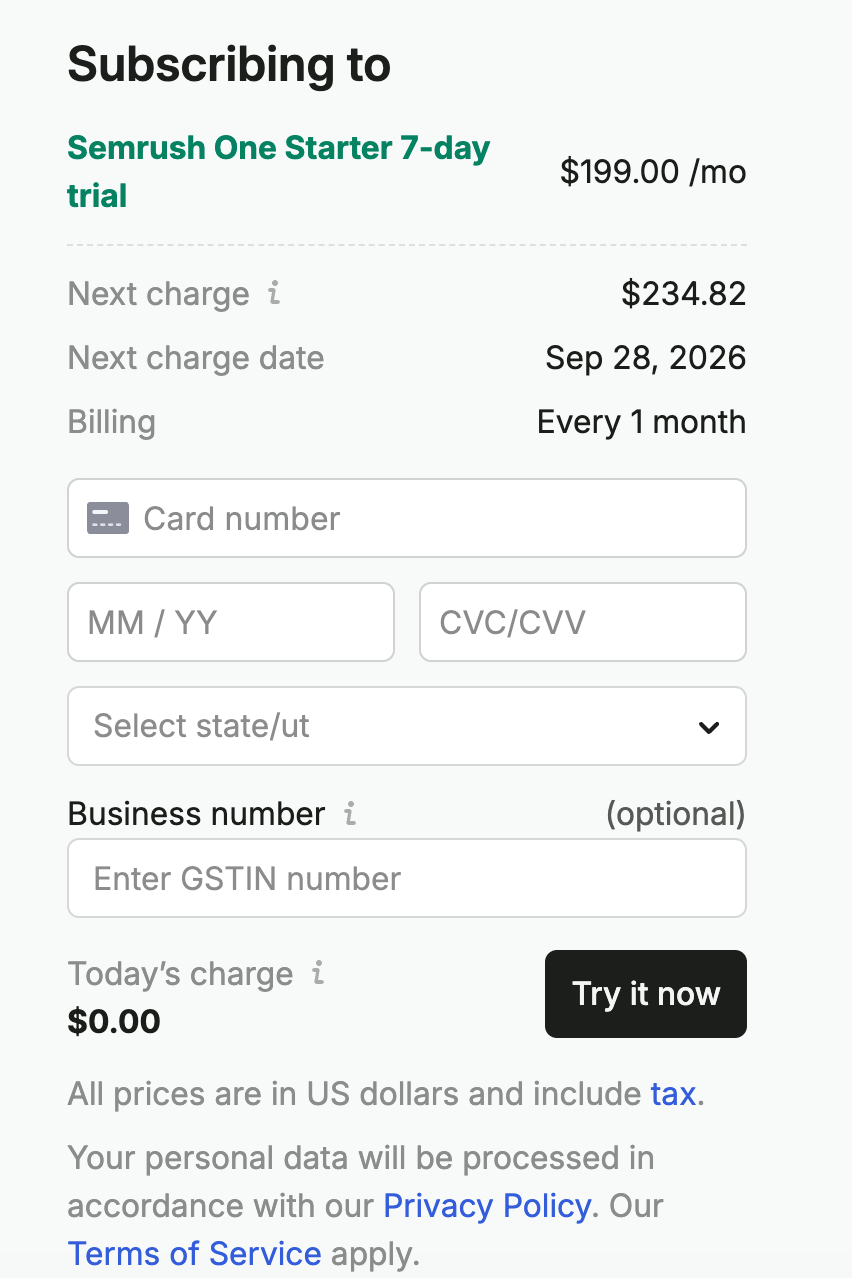
Resourcera’s quick note: If you are not satisfied with the product, you can always cancel the free trial to avoid getting charged for the plan. Just make sure you do it before the 7th day.
Your 7-Day Semrush Trial Roadmap
No blah blah. Let’s get straight to business.
Day 1: Set up tracking (do this first)
Position Tracking only records rankings from the day you switch it on. Every day you wait is a day of ranking history you never get back, so everything else can wait until tomorrow.
Step 1: Create a folder for your website
Semrush calls a website workspace a folder. (Older tutorials call it a “project”.)
- On your Home page, click + Create Folder.
- Give the folder a name and add your website.
Watch out: once you add a domain and set up a tool with it, you cannot change that domain. To work on a different website, create a new folder.
Step 2: Set up Position Tracking
For your first folder, Semrush may start Position Tracking for you automatically. Open it anyway and check the settings.
- In the left-hand menu, click Position Tracking.
- If a set-up window opens, work through the Targeting step:
- Domain: leave it as your root domain (for example, yoursite.com). This captures the most data.
- Search engine: choose Google (it gets the 90% share of questions right? :D)
- Device: choose the device most of your customers use (desktop or mobile).
- Location: choose your country. If you only serve one city, choose that city.
- Business name: if you are a local business, type your business name exactly as it appears on Google. Do not shorten it.
Important: you cannot change the location or device once the campaign starts. Double-check this screen before you continue.
- In the Keywords step, add the keywords that matter most to your business. You can type them in, or click Import from and pull them from Semrush suggestions, Google Search Console or a .txt/.csv file.
- Optional: tick the box to receive weekly ranking updates by email.
- Click Start Tracking.
Step 3: Add your competitors
- Inside your Position Tracking campaign, look at the top of the screen for Competitors.
- Click Add (or the number next to “Competitors”).
- Enter one or two competitor domains in the pop-up window and save.
You can add up to 20 competitors per campaign. The Visibility Trend graph on the Landscape tab compares up to 5 domains at a time, including yours. Not sure who your competitors are? Once data comes in, the Competitors Discovery tab shows who else ranks for your keywords.
Step 4: Start a Site Audit
Site Audit crawls your website and checks it for more than 140 technical and on-page SEO issues.
- In the left-hand menu, click Site Audit. For your first folder it may already be running.
- If a set-up window opens:
- Scope: your domain is filled in by default. Leave Crawl all subdomains ticked unless you want to skip subdomains such as a staging site.
- Limit per audit: set how many pages to crawl.
- Click Start audit and leave it running in the background.
Day 1 done. Semrush is now recording your rankings and site health.
Day 2: Read your Site Audit and find your keywords
Analyze your Site Audit to identify relevant keywords and uncover new opportunities.
Part 1: Check your Site Audit results (15 minutes)
- Open Site Audit from the left-hand menu.
- Look at the Overview tab. It shows your Site Health score, with issues split into Errors (fix these first), Warnings and Notices.
- Scroll to Top Issues. These are ranked by how often they appear and how serious they are.
- Click any issue to see which pages are affected.
- If you see an AI Search section, check it. It flags whether your site is blocking AI crawlers, such as the ones used by ChatGPT or Perplexity.
Lots of pages showing as blocked or not found? Your website’s firewall may be blocking Semrush’s crawler. In the audit settings, switch the crawler (user agent) to GoogleBot and re-run the audit.
Part 2: Keyword research with the Keyword Magic Tool
- In the left-hand menu, click Keyword Magic Tool.
- Type a broad topic that describes what you sell (for example, “running shoes”).
- Select your target country from the database drop-down and press Enter.
- Look at the left sidebar, where Semrush groups your keywords into themes. Click By volume above the list to see the biggest themes first. Click any group to filter the table.
- Filter the table using the options above it:
- KD (Keyword Difficulty): if your website is new or small, select Very easy (0 to 14) or Easy (15 to 29). Keywords with higher scores need stronger websites and more backlinks.
- Intent: choose Commercial and Transactional if you sell something. Choose Informational if you want blog traffic.
- Volume: set a minimum so you skip keywords nobody searches for.
- Click Questions to see only question-style keywords. These make good blog post and FAQ topics.
- Optional: type your own domain into the AI-powered filter bar. Semrush then shows Personal Keyword Difficulty (PKD), which tells you how hard each keyword is for your site specifically.
What the intent labels mean:
- Informational: the searcher wants to learn something (“how to clean running shoes”).
- Navigational: the searcher wants a specific site (“nike login”).
- Commercial: the searcher is comparing options before buying (“best running shoes for beginners”).
- Transactional: the searcher is ready to buy (“buy running shoes online”).
Part 3: Save your keywords to a list
- Tick the checkbox next to each keyword you want. (Hold Shift and click two keywords to select everything between them.)
- Click Send keywords, or click the + sign next to a keyword.
- Send them to Keyword Strategy Builder and create a new list. A regular list holds up to 2,000 keywords.
Part 4: See what people ask AI tools (Starter and Pro+ plans)
- Open the AI Visibility section and click Prompt Research.
- Enter the same topic you used in the Keyword Magic Tool and click Analyze.
- The Topics tab shows topic clusters and their AI search volume. Click any topic to see the actual prompts people type into AI tools.
- Check three more views:
- Intent Analysis: what people want when they ask.
- Brands: which brands AI tools mention most.
- Source Domains: which websites AI tools cite.
- Compare these results with your keyword list. Note any topics that have AI demand but did not appear in your Google keywords.
Day 3: Take apart your competitors
Analyze your competitors’ strategies, keywords, content, and performance to uncover opportunities for your own growth.
Part 1: Get a snapshot with Domain Overview
- In the left-hand menu, click Domain Overview.
- Enter a competitor’s domain and press Enter.
- Note their estimated organic traffic, paid traffic, backlinks and AI Visibility figures.
- Scroll down to their top organic keywords and look at the intent column. Are they chasing buyers or readers?
- Click any number to open the detailed report behind it.
- Repeat for your top 2 or 3 competitors.
Part 2: Find their best keywords and pages
- Open Organic Rankings, either by clicking the organic traffic figure in Domain Overview or from the menu. (Older guides call it “Organic Research”.)
- The Positions tab lists every keyword the competitor ranks for.
- Tick any keywords you want to target and click + Add to keyword list.
- Open the Top Pages report to see which of their pages bring in the most search traffic. These pages show you what content works in your market.
Part 3: Run a Keyword Gap
- In the left-hand menu, click Keyword Gap.
- Enter your domain in the first field, which is labelled You.
- Add up to 4 competitors in the other fields. Once you enter your domain, Semrush suggests competitors in a drop-down.
- Make sure the keyword type is set to Organic.
- Choose your country database and click Compare.
- Scroll down to the keyword table and use the tabs at the top of it:
| Tab | What it shows |
|---|---|
| Missing | Keywords all your competitors rank for, and you do not rank for at all |
| Untapped | Keywords at least one competitor ranks for, and you do not |
| Weak | Keywords where you rank, but lower than all your competitors |
| Strong | Keywords where you rank higher than all your competitors |
| Shared | Keywords every site ranks for |
| Unique | Keywords only you rank for |
Tip: start with Missing, because these are proven topics in your market. Then check Untapped, which is a longer list because only one competitor needs to rank. Use Weak to find pages you already have that need improving.
- To find quick wins, add a Position filter for your domain with a custom range of 11 to 20. These are keywords where you sit on page two of Google.
- Narrow the list further with the KD and Intent filters.
- Tick the best keywords and click + Add to keyword list to save them.
Day 4: Check your backlinks and your AI visibility
Analyze your backlinks and AI visibility to understand your online authority and how your brand appears across search and AI platforms.
Part 1: Your own backlink profile
- In the left-hand menu, click Backlinks.
- Enter your domain and press Enter.
- On the Overview, note two numbers:
- Authority Score: Semrush’s overall quality score for a domain.
- Referring domains: the number of separate websites linking to you.
- Open the Indexed Pages report to see which of your pages attract the most links.
- Run the same check on one competitor so you have a benchmark.
Part 2: Build a list of websites to contact (Backlink Gap)
- In the left-hand menu, click Backlink Gap.
- Enter your domain, then add up to 4 competitors. Click into an empty field to see suggested competitors.
- Click the green button to start the comparison.
- In the drop-down above the table, select your domain.
- Click the Best filter. This shows websites that link to all your competitors but not to you.
- Sort by Authority Score to put the strongest websites at the top.
- Check the Matches column. A site that links to several of your competitors is likely open to linking to a business like yours.
This list is your link-building outreach pipeline.
Part 3: AI visibility (how often AI tools mention you)
On any plan:
- Open Domain Overview and enter your own domain.
- Find the AI visibility section and note your AI Visibility Score, mentions and cited pages.
- Repeat for one or two competitors.
The AI Visibility Score runs from 0 to 100. It compares how often AI answers mention your brand with the typical figure for your top industry competitors.
On Starter and Pro+ plans, go deeper:
- Open the AI Visibility section and click Visibility Overview.
- Enter your domain, scroll down to Topics & Sources and click the Cited Pages tab. This lists which of your pages AI tools cite most.
- Click Competitor Research in the same section.
- Enter your domain and up to 4 competitors.
- In the results table, look at the topics and prompts marked:
- Missing: competitors are cited and you are not.
- Weak: competitors are more visible than you.
- Use the AI Volume filter to focus on topics with the most demand.
These missing topics are your AI content gaps.
Day 5: Improve pages you already have
Optimize your existing pages to improve their rankings, visibility, traffic, and overall SEO performance.
Part 1: On Page SEO Checker
- In the left-hand menu, click On Page SEO Checker and select your folder.
- Set your target location and device. You cannot change these later.
- For pages and keywords, choose Auto Import. Semrush picks pages on your site that rank between positions 11 and 100, which are the pages most likely to reach page one with some work.
- Remove any rows you do not care about using the trash can icon.
- Check the number of units shown above the Collect ideas button. Each keyword analysed uses one unit.
- If Semrush cannot reach your pages, change the crawler (user agent) to GoogleBot.
- Choose whether to re-collect ideas weekly or never, then click Collect ideas.
- When it finishes, work through the tabs:
- Overview: total ideas and the pages to fix first.
- Optimization Ideas: the to-do list for each page, covering content, semantics, backlinks, technical SEO and more.
- Top 10 Benchmarking: how your page compares with the top 10 results on content length, keyword usage, readability and more.
- Idea Tasks: where you mark ideas as done and track progress.
Part 2: SEO Writing Assistant
On the SEO and Starter plans you get only 2 documents, so use them on your most important underperforming pages.
- In the left-hand menu, click SEO Writing Assistant. (It is also available as a Google Docs add-on, a WordPress plugin and an MS Word add-in.)
- Enter your target keywords, choose your location and device, and click Get Recommendations.
- Paste in the text of your existing page.
- Check your overall score (out of 10) and the four areas behind it: Readability, SEO, Originality and Tone of Voice.
- Click SEO to see Recommended keywords, which top-ranking pages use and you do not.
- Click Readability to see long paragraphs, hard-to-read sentences and title issues.
- Make the changes, then update the page on your website.
Part 3: Try AI content creation (optional)
ContentShake AI is now called the Content Toolkit. If writing content with AI matters to you, open it and test its AI Article Generator on one of the keywords you saved on Day 2. The Content Toolkit is a separate subscription with its own trial.
Day 6: Read your first week of ranking data and save your findings
Analyze your first week of data to identify trends, track progress, and save key SEO insights for future optimization.
Part 1: Read your Position Tracking results
You now have several days of daily ranking data.
- Open Position Tracking.
- Overview: check your visibility, estimated traffic and average position over the week.
- Rankings Distribution: see how many keywords sit in the top 3, top 10 and top 100.
- Pages: see which of your pages get the most traffic from your tracked keywords.
- Landscape: compare your visibility trend against the competitors you added on Day 1.
Part 2: Save your findings
Exports are switched off during the trial, so save your findings in these ways:
- Keep your keyword lists in Keyword Strategy Builder. Everything you saved on Days 2 and 3 lives there.
- Copy and paste. In the Keyword Magic Tool, select keywords and click the Copy button that appears in the table header. Then paste them into a spreadsheet.
- Take screenshots of these four reports:
- Keyword Gap results
- Backlink Gap prospects
- Site Audit Top Issues
- Position Tracking Overview
- Build a simple spreadsheet with five tabs: target keywords, gap keywords, link prospects, technical fixes and page updates.
Day 7: Build your action plan and make the call
- Write a one-page action plan from your spreadsheet:
- your top 10 keywords to target
- your top 5 gap keywords from competitors
- your top 5 websites to contact for links
- your top 3 technical fixes from Site Audit
- your top 3 pages to update from On Page SEO Checker
- Fixed some Site Audit errors this week? Re-run the audit from the Site Audit page to see your Site Health score change.
- Decide whether Semrush earns its place. Ask yourself:
- Did Keyword Gap and Backlink Gap give me work I would not have found on my own?
- Will I check Position Tracking every week?
- Did the AI visibility reports tell me something my Google data did not?
- Is the monthly price less than the value of the time these reports saved me?
Semrush pricing after the free trial (and how to know if it is worth paying)
This is the part that actually matters, because the trial auto-converts into a paid plan if you do nothing. Remember the credit card details that you added while signing up? It gets auto-debited.
Here is what each Semrush plan costs, and more importantly, how to use your trial to decide.
Semrush One (SEO + AI Visibility Toolkit):
| Plan | Monthly | Annual (per month) | Free trial |
|---|---|---|---|
| Starter | $199 | $165.17 | 7 days |
| Pro+ | $299 | $248.17 | 7 days |
| Advanced | Custom/higher tier | Custom/higher tier | Not available |
Semrush SEO Classic (SEO only):
| Plan | Monthly | Annual (per month) | Free trial |
|---|---|---|---|
| Pro | $139.95 | $117.33 | 7 days |
| Guru | $249.95 | $208.33 | 7 days |
| Business | $499.95 | $416.66 | Not available |
Annual billing cuts the price by roughly 17 percent on every plan. You can also use the semrush coupon code for the special discount.
Now, the free trial point of view. Do not decide based on feature lists. Decide based on what actually happened during your 7 days. Use this test to decide:
- Continue on Classic Pro ($139.95/mo) if, during the trial, you mostly lived in Keyword Magic, Site Audit, and Position Tracking for one site, and never touched the AI reports. You are buying a solid SEO workbench and nothing you will not use.
- Continue on Classic Guru ($249.95/mo) if you manage several sites or clients, used the content marketing toolkit, or needed historical data even once. Agencies and serious content operations land here.
- Continue on One Starter ($199/mo) if the AI visibility reports told you something you did not know. Here is the interesting math: One Starter costs $50.95 less per month than Classic Guru while adding the entire AI Visibility Toolkit. If you were leaning Guru mainly for scale but only run up to 5 sites, Starter is arguably the better deal in 2026.
- Continue on One Pro+ ($299/mo) if you need Guru-level limits (15 sites, 1,500 keywords, historical data) plus AI tracking. It is cheaper than buying Classic Business or stacking Classic plans with separate AI tools.
- Cancel, or drop to the free account, if you finished the week with exports you will act on but no ongoing need. That is a legitimate outcome. The trial still paid for itself in research.
Resourcera’s quick note: some data exports can be limited during the trial period, so export what you can and screenshot the rest before day 7.
What happens when the free trial ends?
If you do nothing, your card is charged for the plan you selected at signup, on the date shown at checkout, and your subscription starts. There is no separate “confirm purchase” step. This is the single most common complaint about free trials in general, so set a reminder for day 5 or 6 the moment you sign up.
If you cancel before the trial ends, you are not charged, your account drops to the free version, and Semrush keeps your project data for 30 days in case you come back.
How to cancel your Semrush free trial
- Click your profile icon in the top-right corner of the Semrush dashboard and select Subscription info.
- Next to the “Recurring” status, click the Active link, then the Contact us link that appears.
- Semrush first offers you a live demo with an expert. Skip it (or take it, the trial keeps running either way) and click Decline and unsubscribe.
- You will see a screen suggesting other Semrush tools. Click Continue to cancel.
- Pick a cancellation reason in the short survey and continue.
- Watch for this: at this stage Semrush sometimes offers a discount on your first month to stay. If you decline it here, it will not be offered again, so decide before you click through.
- Agree that your saved projects will be deleted, then click Cancel subscription.
- Check your email and click the Cancel subscription confirmation button in the message. Your cancellation is not final until you do this.
Two useful details: you keep full trial access for the remaining days even after canceling, so cancel early and keep using it. And if you prefer, you can also cancel by emailing Semrush support from your signup email address.
What about refunds if you forget to cancel?
Semrush has a 7-day refund policy, but it only applies to annual subscriptions. If your trial rolls into an annual plan and you request a refund within 7 days of the charge, you get your money back. Monthly plans are not refundable, and the subscription simply runs to the end of the billing month.
Free trial vs the free Semrush account: Know the difference
Semrush also has a permanently free account that needs no credit card. It is a different thing from the trial, and it is worth understanding both:
| Free account | 7-day free trial | |
|---|---|---|
| Credit card | Not required | Required |
| Duration | Forever | 7 days |
| Daily queries | 10 per day | Unlimited |
| Tracked keywords | 10 | 500-1,500 |
| Site Audit | 100 pages/month | 100,000-300,000 pages |
| AI Visibility | Basic metrics only | Full toolkit |
The free account is fine for checking a domain occasionally or learning the interface. It is not enough for real work, and 10 queries disappear in a single research session. The smart sequence is: run the 7-day trial with the plan above, then downgrade to the free account if you are not ready to pay. You lose nothing and keep a working login.
Does Semrush offer a 30-day free trial?
Semrush discontinued the 30-day trial back in 2023. The standard free trial in 2026 is 7 days on all eligible plans.
You may see some websites advertising extended 14-day trials. Those are special offers that Semrush runs through selected partners from time to time. They are legitimate when active, but the trial available to everyone, directly and reliably, is 7 days. That is what this guide covers.
Seven days might sound short, but they are enough if you go in with a plan, and we give you one below. Scroll to find out.
Frequently asked questions
Start your 7-day trial with a plan, not just a login
A Semrush free trial is only worth what you do with it. Sign up, set up Position Tracking on day 1 so the data starts compounding, follow the daily plan, and export everything before day 7. Worst case, you cancel with a full SEO and AI visibility roadmap in hand. Best case, you find the one tool that changes how you work and the subscription pays for itself.